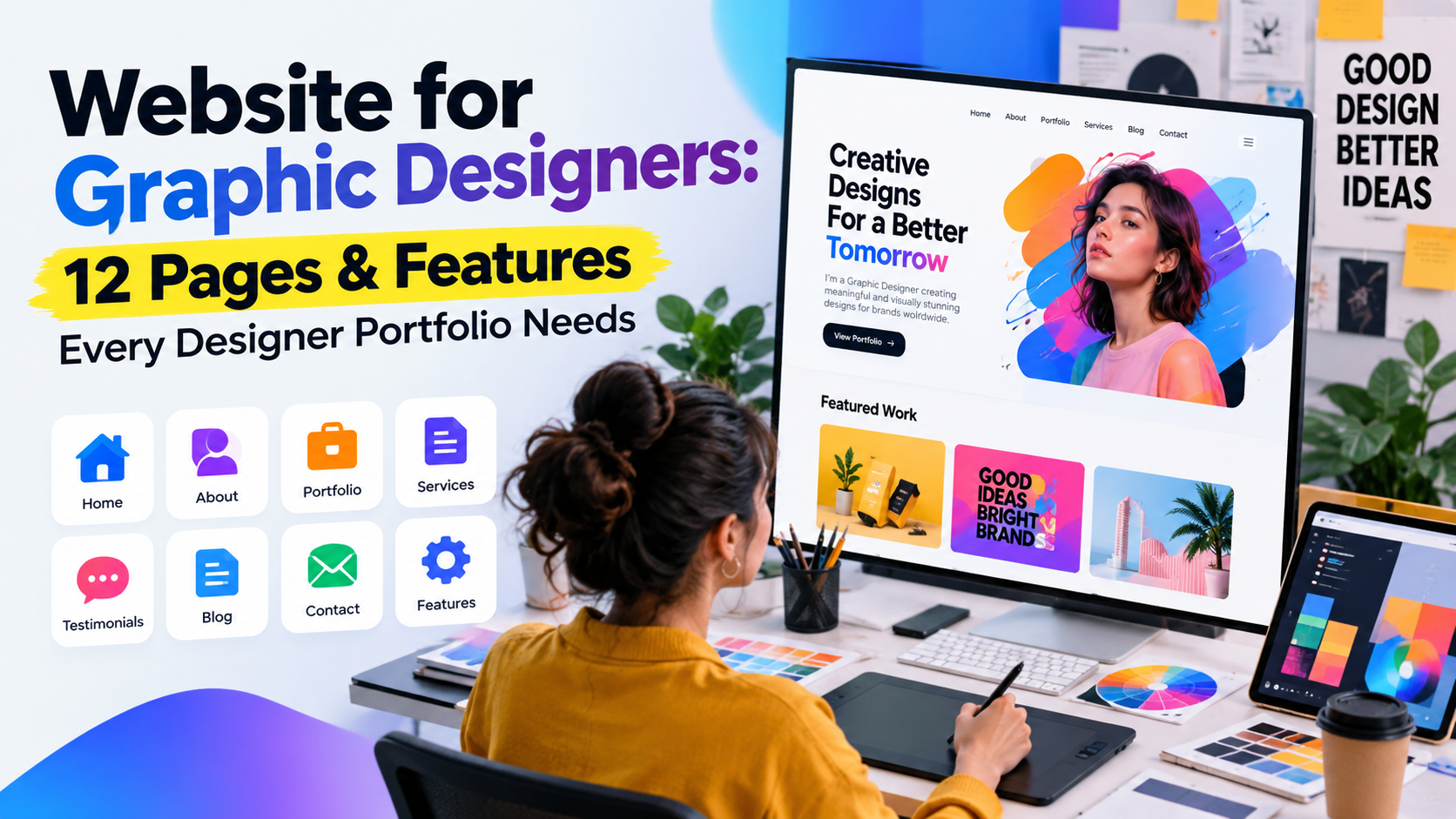
A good website for graphic designers does one job: it turns a stranger who found your work into a client who emails you. Pretty pixels alone will not do that. The structure, the words, and the speed of the site matter just as much as the design.
This guide covers the 12 pages and features every designer portfolio needs, how to lay them out, the SEO basics that get you found, and the mistakes that quietly lose you work. If you are still deciding on design direction, our guide to website design for graphic designers goes deeper on visual style and layout.
Quick answer: at minimum, a graphic designer website needs a homepage, a portfolio, case studies, a services page, an about page and a contact page. Add a process or pricing page, testimonials, a blog, a lead magnet, fast mobile performance and basic SEO, and you have a site that actually wins clients.
What a graphic designer website needs to do
Before the list, keep three goals in mind. Every page should serve at least one of them.
- Show the work fast. A visitor decides in a few seconds whether your style fits their project.
- Build trust. Clients are buying a person as much as a portfolio. Proof, process and personality all help.
- Make the next step obvious. Every page should point to one action: view a project, read a case study, or get in touch.
The 12 pages and features
1. A homepage that says who you help
Your homepage is your window display. Lead with a clear one-line statement of what you do and who for, such as “Brand identity for independent coffee roasters”, followed by your three to six best projects and one clear call to action.
Skip vague taglines like “Creative solutions for a digital world”. A specific positioning line filters in the right clients and tells search engines what the site is about.
[Visual: annotated screenshot of a homepage with labels for the positioning line, featured work grid and primary button.]
2. A portfolio page that is curated, not complete
The portfolio index is the heart of the site. Show your strongest 8 to 12 projects, not everything you have ever made. Use consistent thumbnails, a short caption (client, type of work) and let people filter by category if you offer several services, for example branding, packaging or editorial.
Lead with the work you want more of. If you want packaging clients, your first three projects should be packaging.
3. Case study pages that show your thinking
Images prove you can make things look good. Case studies prove you can solve problems, which is what clients pay for. For each featured project, cover:
- The brief and the client’s problem
- Your role and the timeline
- Your process, with sketches, drafts and rejected ideas where you can
- The final result, shown in realistic mock-ups and in context
- The outcome, with a result or a client quote if you have one
Three strong case studies beat twenty thin project pages. Each one is also a separate page that can rank in search.
[Visual: simple mock-up of a case study layout, from hero image to process steps to results.]
4. A services page with clear offers
Do not make people guess what you sell. List your services in plain language (logo design, brand identity, packaging, social media graphics), describe what is included, and link each service to a relevant project.
A dedicated services page also targets the searches potential clients actually type, such as “packaging designer for food brands”. Add a short FAQ at the bottom to answer common objections and pick up extra search visibility.
5. An about page that is a little personal
The about page is usually one of the most visited pages on a portfolio site. Clients want to know who they would be working with. Include a real photo, a short story about how you work, the kinds of clients you enjoy, and a link to your services or contact page at the end.
Write it about the client’s needs, not only your biography. Two or three personal details (a hobby, your city, your studio dog) make you memorable without turning the page into a CV.
6. A contact page with a smart inquiry form
Make it effortless to get in touch. A good contact page has a short form, your email address, your response time, and your availability. Ask only for what you need: name, email, project type, rough budget range and timeline.
A budget field saves time for both sides, because it filters out mismatched enquiries early. Add a short confirmation message so people know their note arrived.
7. Testimonials and client logos
Social proof removes doubt. Place two or three short testimonials on your homepage and services page, and add a row of past client logos if you have permission. A specific quote (“she turned our rough idea into a brand in three weeks”) beats a generic one (“great to work with”).
No clients yet? Use personal projects, volunteer work or a short note from a collaborator or teacher, and replace them as real testimonials come in.
8. A process and pricing page
Many designers avoid pricing, but clients almost always wonder about it. A “Working together” page that explains your process (discovery, concepts, revisions, delivery) and gives a starting price or a package range saves time and builds trust.
You do not need to publish every rate. “Brand identity projects start at…” is enough to set expectations and qualify visitors before they write to you.
9. A blog or resources section
A blog is how a portfolio site gets found for more than your name. Write about the problems your ideal clients search for: how to prepare a design brief, what a brand identity costs, how to choose a logo designer. Each article is another door into your site.
You do not need to post weekly. A handful of genuinely useful, well-structured articles, updated over time, will outperform a feed of rushed posts.
10. A lead magnet and email signup
Most visitors are not ready to hire you today. A simple lead magnet lets you stay in touch until they are. A short checklist, a brief template or a pricing guide all work well, offered in exchange for an email address.
Want a head start? Download our free portfolio checklist (PDF) to check your site against every page and feature in this guide.
11. Fast, mobile-friendly performance
Design portfolios are image heavy, and that makes speed a real risk. A slow site loses visitors before your work appears. Focus on:
- Compressing images and using modern formats such as WebP or AVIF
- Lazy loading images below the first screen
- Setting width and height on images so the layout does not jump
- Testing on a real phone, not only a resized desktop window
A large share of your visitors will open your site on a phone, often from a social link or an email. If your grid breaks or your menu is hard to tap, they leave.
12. SEO and analytics basics
Search engines cannot see your work the way people do, so you need to describe it. Covering the basics puts you ahead of most portfolio sites, which are largely invisible in search. The next section covers what to do. services
SEO basics for a designer portfolio
You do not need to be an SEO expert. Get these right and you are well ahead.
- One clear topic per page. Give each page its own title tag and meta description that mention what it is about, for example “Packaging Design Portfolio | Studio Name”.
- Descriptive headings. Use a single H1 and logical H2s. Avoid vague headings such as “Selected work” on every page.
- Alt text on images. Describe what the image shows in plain language. It helps accessibility and image search.
- Real text, not text in images. Put your headline and key copy in HTML, not baked into a graphic.
- Clean URLs. Use short, readable addresses like /work/coffee-brand-identity/ instead of numbers or strings.
- Internal links. Link from your blog to your services and from case studies to related projects.
- Local and niche signals. If you serve a city or an industry, say so on your homepage and services page.
- Analytics and search console. Set up both so you can see which pages bring visitors and which searches show your site.
Layout tips that help the work shine
- Give images room. White space is not wasted space in a portfolio. Let large, high-quality images lead.
- Keep navigation short. Five or six menu items is plenty: Work, Services, About, Blog, Contact.
- Use a consistent grid. Uniform thumbnails make a portfolio feel considered and easy to scan.
- Put a call to action on every page. A button such as “Start a project” should never be more than a scroll away.
- Choose readable type. Legible body text and strong contrast matter more than a clever font on a long page.
- Show your work in context. Mock-ups on real products, signage and screens help clients picture the result.
[Visual: side-by-side annotated screenshots showing a cluttered portfolio grid versus a clean, consistent one.]
Common mistakes to avoid
- Showing too much work. Weak projects dilute strong ones. Cut anything you would not want to be hired for.
- Pictures with no story. Without context, clients cannot tell what you actually did or why it worked.
- A hidden or vague contact path. If it takes more than one click to reach you, you lose enquiries.
- An outdated site. Old projects, broken links and a copyright year from three years ago suggest you are no longer working.
- Heavy, slow pages. Uncompressed images and autoplay video may impress you, but visitors leave before they load.
- Ignoring mobile. Check every page on a phone before you launch.
- Missing basics. No privacy policy, no cookie notice where required, or no accessible alt text can undermine trust and compliance.
- Trying to speak to everyone. A site for “all businesses” ends up attracting nobody in particular.
Quick launch checklist
Before you publish, confirm that you have:
- A homepage with a specific positioning line and one call to action
- 8 to 12 curated portfolio projects, with at least three full case studies
- Services, about and contact pages
- Testimonials or other social proof
- A process or pricing page that sets expectations
- A lead magnet and an email signup
- Compressed images and a site that works well on mobile
- Unique title tags, meta descriptions and alt text
- Analytics and Search Console connected
Want this in a printable format? Grab the free portfolio checklist (PDF) and tick through it before launch.
Frequently asked questions
How many pages should a graphic designer website have? A solid starting point is six to eight core pages: home, portfolio, case studies, services, about and contact, plus a process or pricing page and testimonials. Add a blog as you grow.
Do I need a blog on my portfolio site? Not to launch, but it is one of the best ways to be found by people who do not know your name yet. Start with a few helpful articles aimed at your ideal clients.
Should I show my prices? You do not have to publish a full rate card, but a starting price or package range helps visitors self-qualify and saves you time on mismatched enquiries.
How many projects should I include? Fewer than you think. Eight to twelve of your best projects, with a few explored in depth as case studies, is better than a long archive.
Final thoughts
The best website for graphic designers is not the most experimental one. It is the one that shows your strongest work quickly, explains how you think, loads fast, and makes it easy to say yes. Start with the core pages, add the features that build trust and visibility, and keep improving the site as your work grows.
When you are ready to refine the look and feel, read our guide to website design for graphic designers, and download the free portfolio checklist (PDF) to keep your launch on track.
🚀 Connect With Amit Kumar
Thanks for reading! I regularly share practical tips, tutorials, and insights on WordPress, Laravel, Shopify, AI Automation, Web Development, SEO, and Digital Marketing.
🌐 Let’s Connect
💼 LinkedIn
https://www.linkedin.com/in/rajamit6/
▶️ YouTube
https://www.youtube.com/@amitkyc
📸 Instagram
https://www.instagram.com/learningwithamit/
📘 Facebook
https://www.facebook.com/amitwebdev
💬 WhatsApp
https://wa.me/919015135215?text=Hi%20Amit!
Need Professional Help?
Whether you’re looking for a business website, eCommerce store, custom web application, SEO strategy, AI automation, or digital marketing services, I’m here to help.
👉 Follow me on social media for the latest updates, practical tutorials, and expert insights.
📩 Have a project in mind? Click the WhatsApp link above to discuss your requirements.